 LetRecord
Let tenants report an issue.
Share a property-specific link. A tenant or occupant can send details and files without access to your workspace; you review the report before adding it to a case.

LetRecord is the browser-based record app for self-managing landlords in England. Share a link for tenants to report issues, then keep messages, photos, visits, repairs and documents together under the right property. See what needs doing next — and prepare an Evidence Pack when it matters.
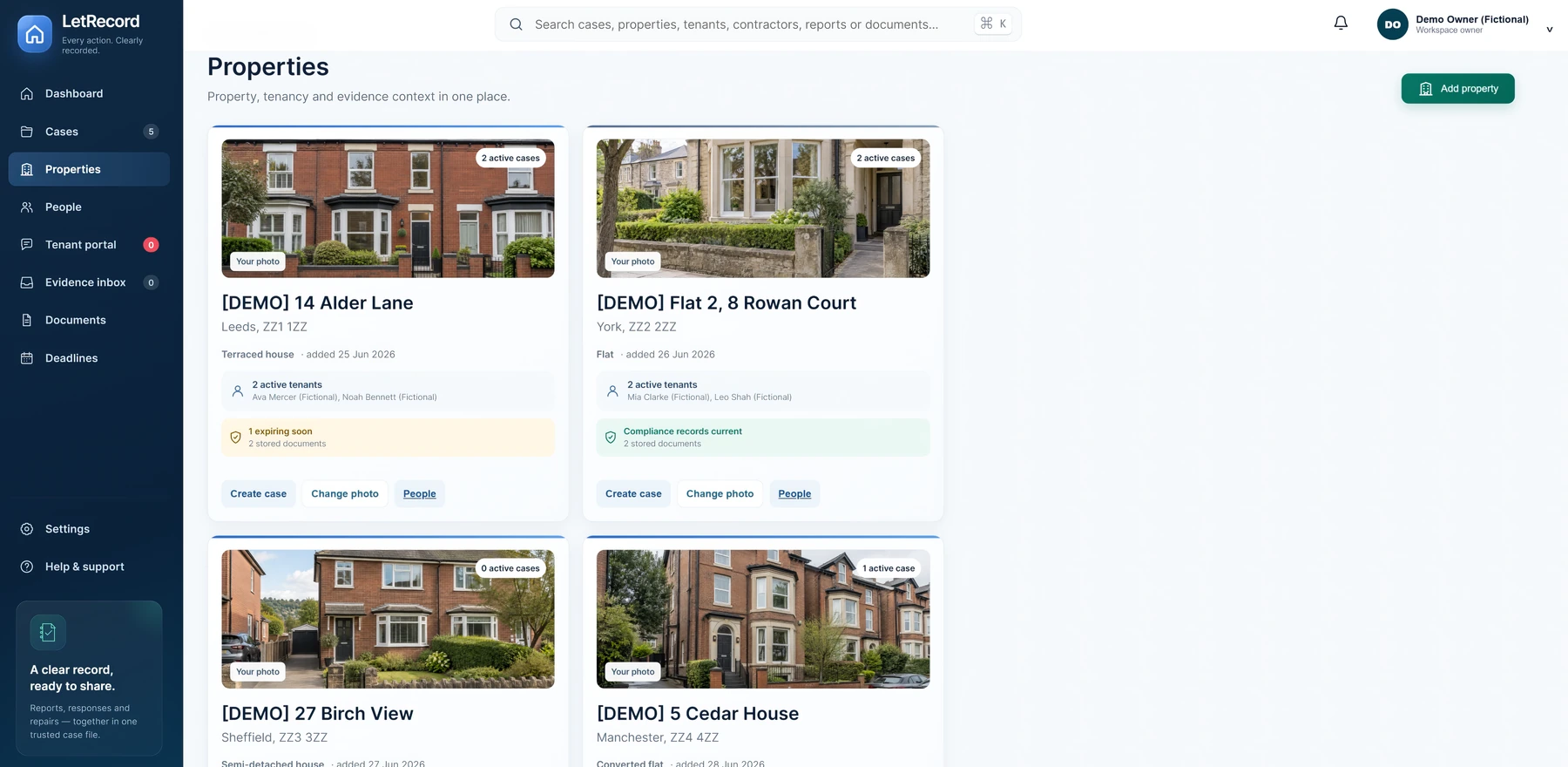
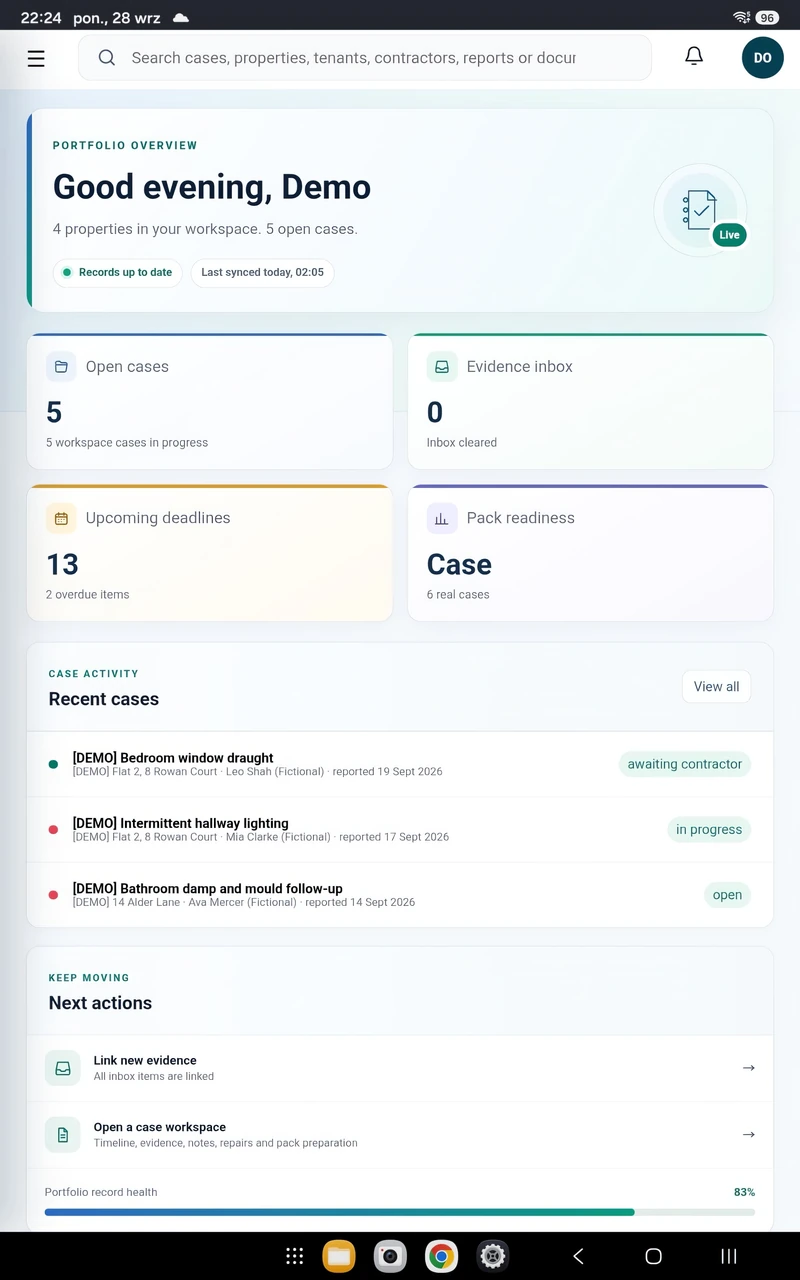
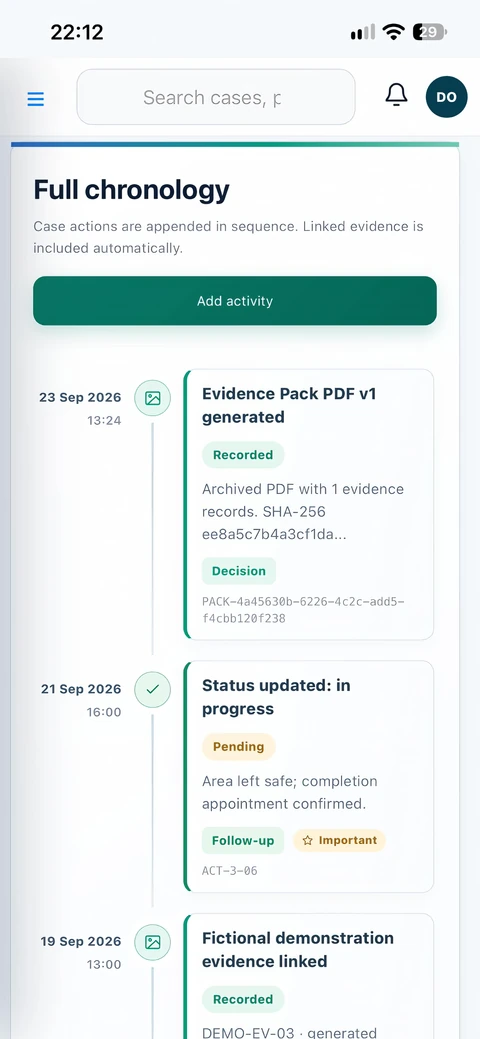
LetRecord is a browser-based property record-keeping app for self-managing landlords in England. It brings repair reports, messages, photographs, visits, contractor work, documents and follow-ups together under the right property.
See what happened, what still needs doing and the history behind each decision. When you need to share a case, review its contents and prepare an Evidence Pack PDF.
See how it helps landlords ↗From a tenant's first report to a record you can review or share, the useful details stay connected to the property.
Share a property-specific link. A tenant or occupant can send details and files without access to your workspace; you review the report before adding it to a case.
Connect each property with its tenants, contractors and related records.
Track status, priority and dated actions from the first report to follow-up.
Log messages, appointments, access arrangements and visit outcomes.
Add contractor findings, costs, photographs and original files to the relevant case.
Store property documents and set reminders for dates you enter.
Review privacy choices, produce a dated PDF and retain separate report versions.
Manage workspace access, download original files and export your records.
See the same connected record from five angles: the portfolio, an individual case, its timeline, source documents and the export. These are captures of the current app with fictional example records.
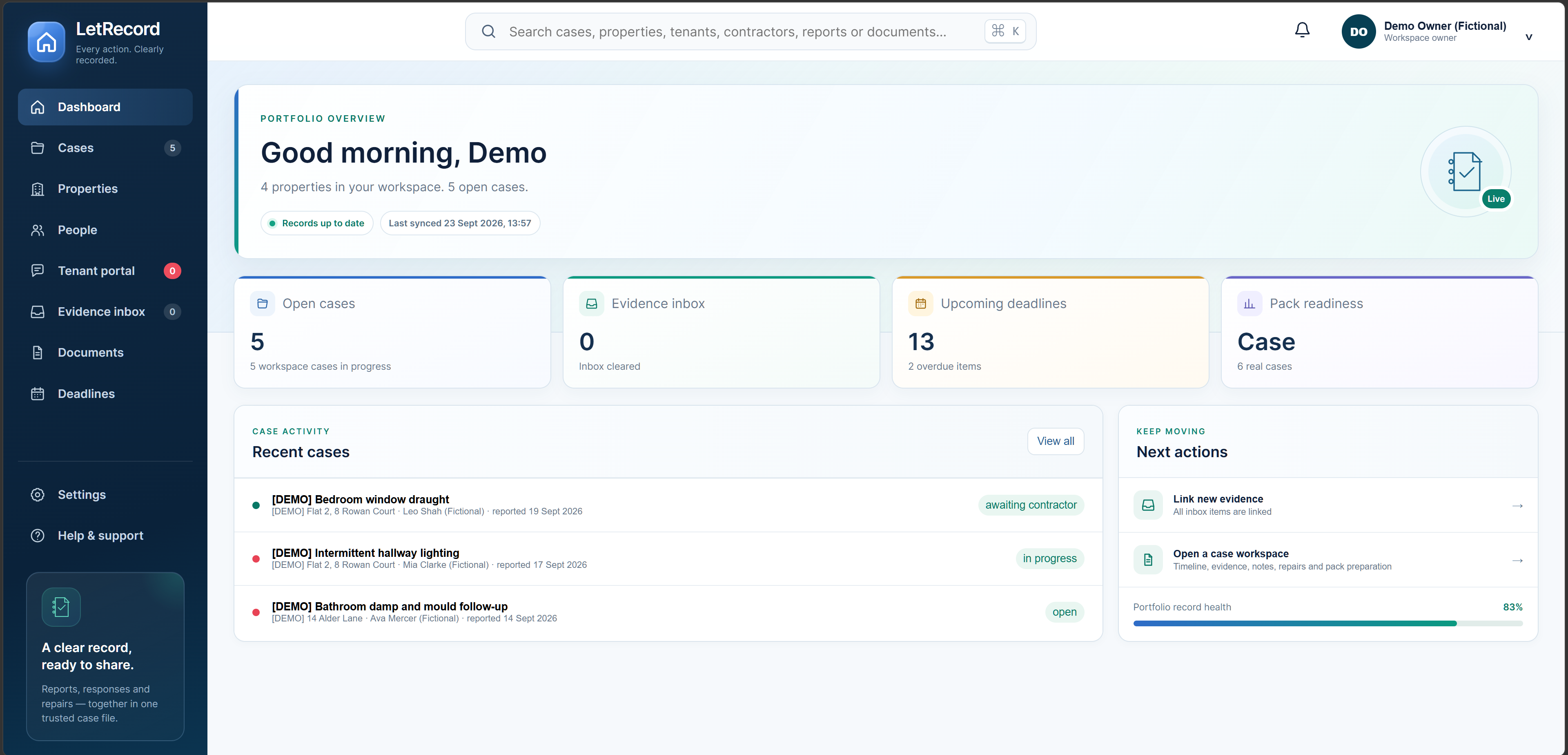
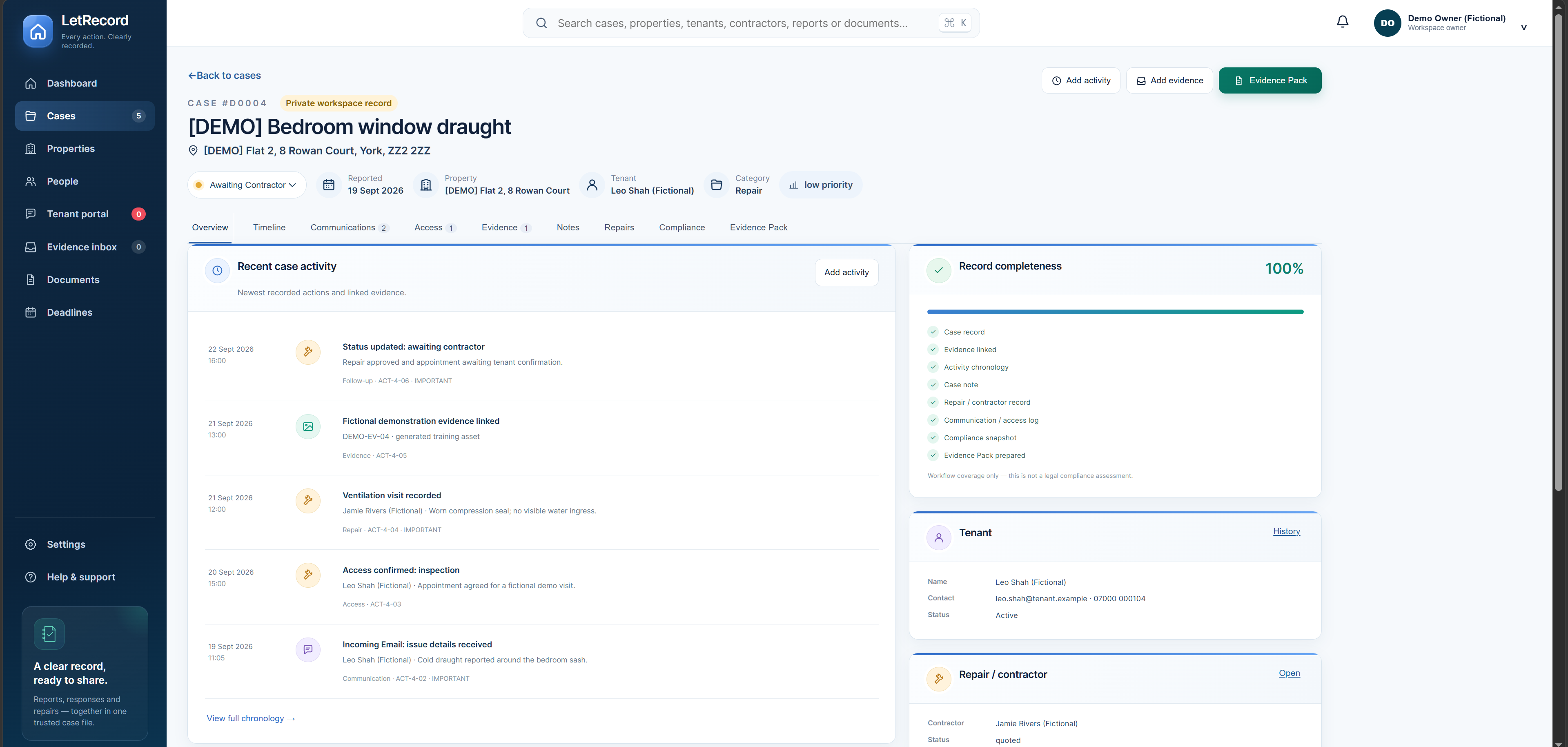
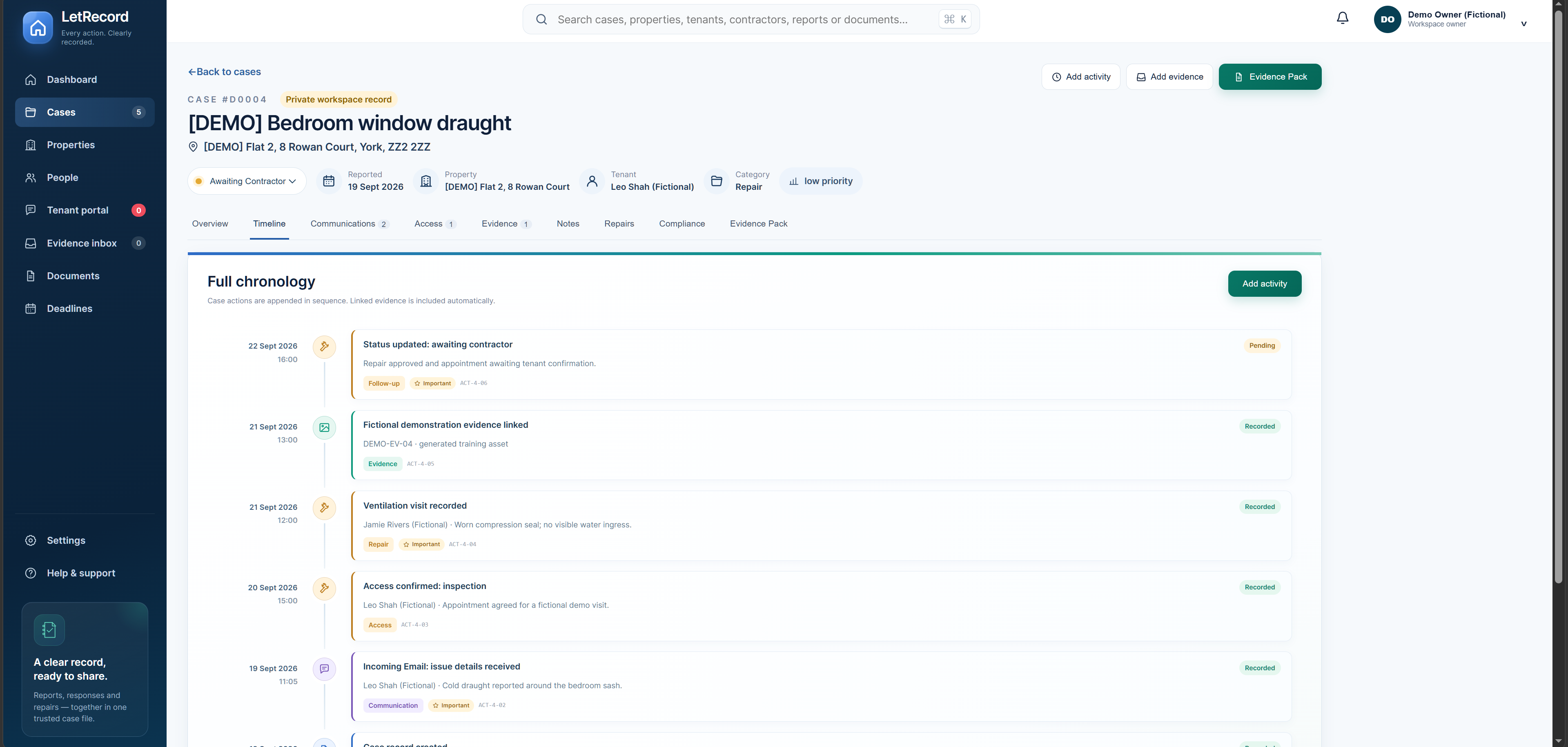
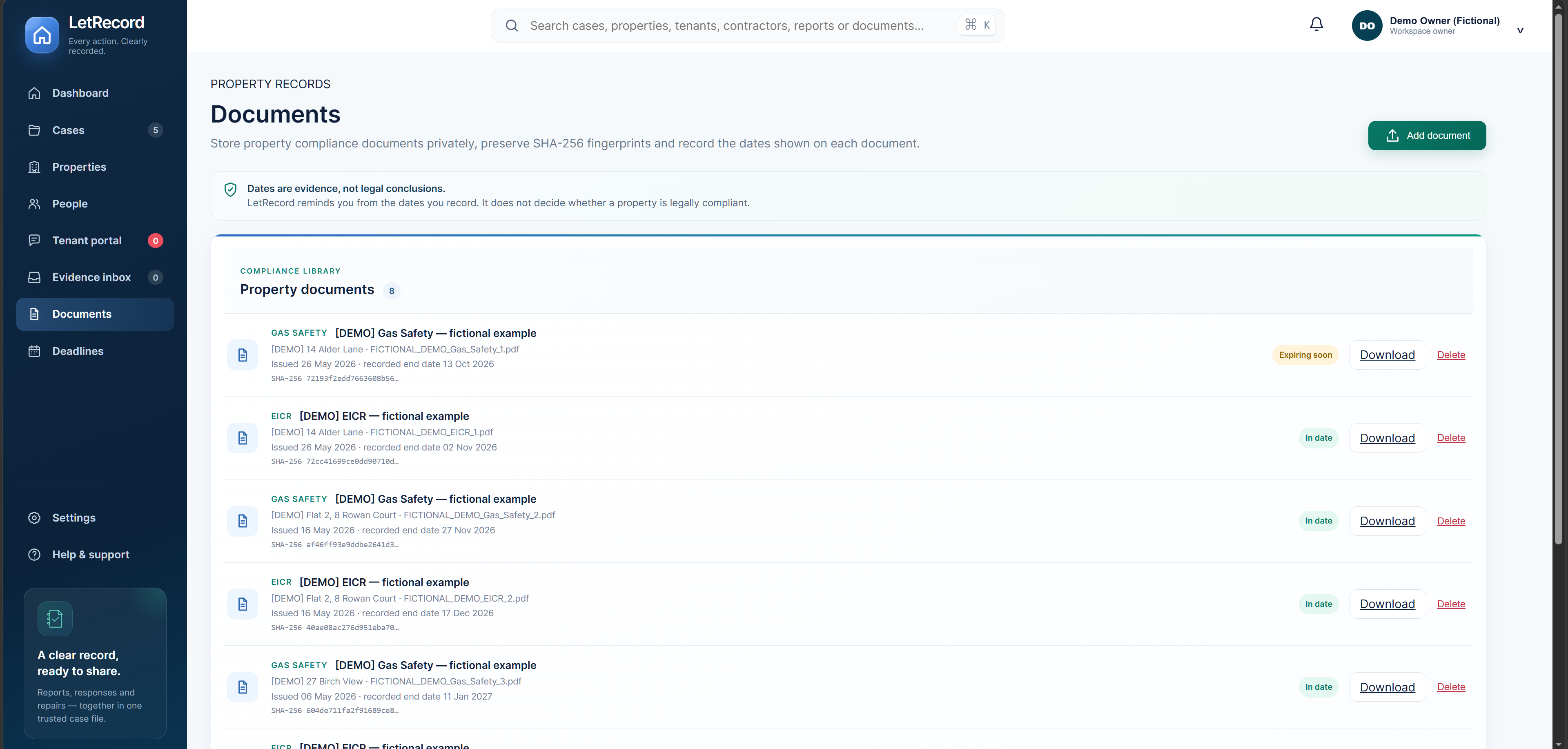
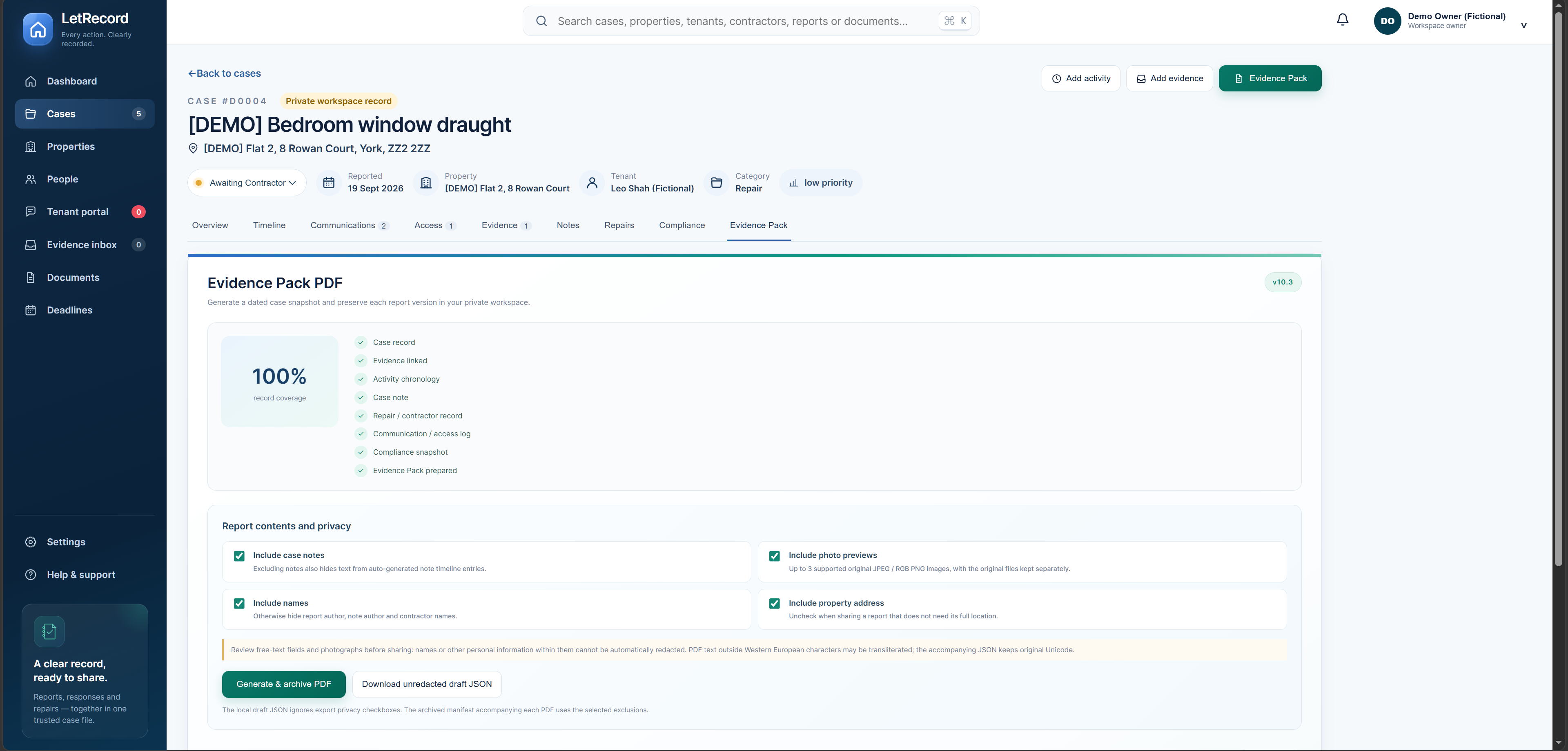
From the first report to a reviewed, readable case history.
LetRecord is built around the story of a property issue, not another financial ledger. Keep the tools you use for rent and accounts; put the report, response, access, repair and original files together here. It is a focused record-keeping tool, not accounting software or legal advice.
Give a tenant a property-specific link to describe an issue and add files. Review the submission before deciding which case it belongs to; the link never opens your workspace.
Messages, access arrangements, contractor findings, notes and evidence build one dated case chronology. Follow-ups remain visible beside what prompted them.
Choose what belongs in a dated Evidence Pack, inspect the PDF and retain separate report versions. Original files and their references stay available separately.
Leo reports a cold draught around a bedroom window. Here is how a landlord could keep the follow-up in LetRecord.
Illustrative sequence using fictional example records. The app organises entries; it does not verify the underlying events.
Explore the real app screens ↗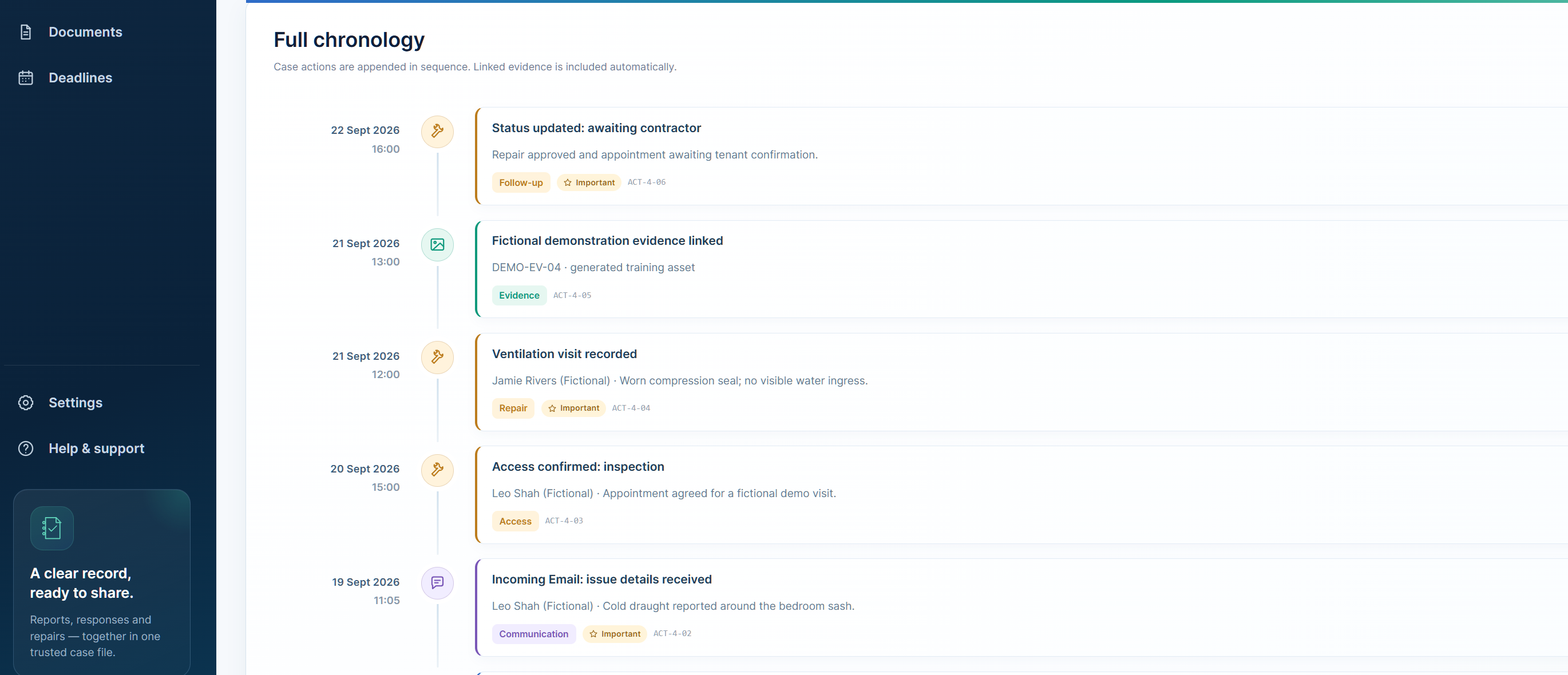
Build a dated Evidence Pack PDF from the records in your case. Review the contents and privacy choices before you share; keep original files separately with their references. Useful for a solicitor's review, a deposit disagreement or a practical handover — see when a clear record can help.
The public pack is an illustrative sample using synthetic case data. A pack is a structured record, not legal certification or independent proof.
LetRecord keeps workspace information separate from the public website. You decide what goes into a property record, who in your workspace can access it, and when to export or share a report.
How storage, backup status and access work ↗HTTPS protects data in transit. No system can guarantee absolute security; keep your own copies of important originals and avoid adding unnecessary personal information. Read the privacy notice.
Annual launch pricing for self-managing landlords. Your trial begins without a card. Subscribe from within your workspace when you are ready; Stripe Checkout confirms the price and first payment date.
30 days free from account creation. No card required to begin. If you choose an annual plan, Stripe Checkout shows the price and first payment date before you confirm. If you do not subscribe, editing pauses after the trial; your existing records remain viewable and exportable. Plan and billing terms.
Records and cases for up to two properties, with documents, Evidence Packs and export controls.
Explore freeEverything in Starter, with room for up to four properties in one workspace.
Explore freeFor larger self-managed portfolios. No fixed property-count cap; standard file-size and reasonable-use rules apply.
Start freeYes. Open the same web app in a browser on phone, tablet or computer. An internet connection is required; you may add an app shortcut on supported devices, but offline access is not currently promised.
No. Starting the trial does not require a card. If you later choose a plan and provide a payment method in Stripe Checkout, the payment schedule is shown before you confirm.
No. It presents recorded information in a structured format. It cannot independently prove an event or certify that a legal obligation was met.
No. Add relevant files, notes and communications to the case yourself. Only process information you are entitled to keep.
30 days free from account creation. No card required to begin. If you choose an annual plan, Stripe Checkout shows the price and first payment date before you confirm. If you do not subscribe, editing pauses after the trial; your existing records remain viewable and exportable. Plan and billing terms.
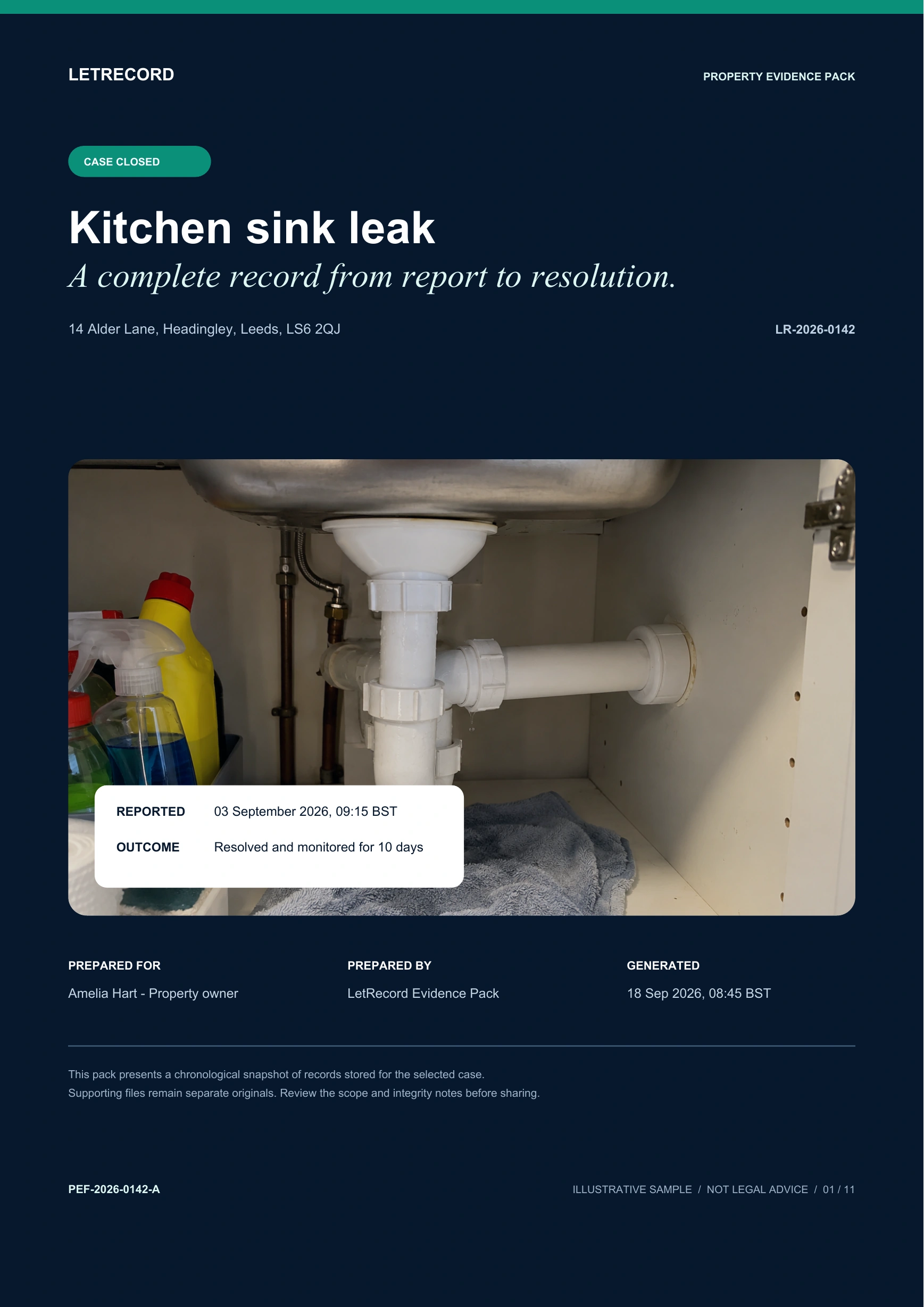 VIEW THE FINISHED PDF ↗